
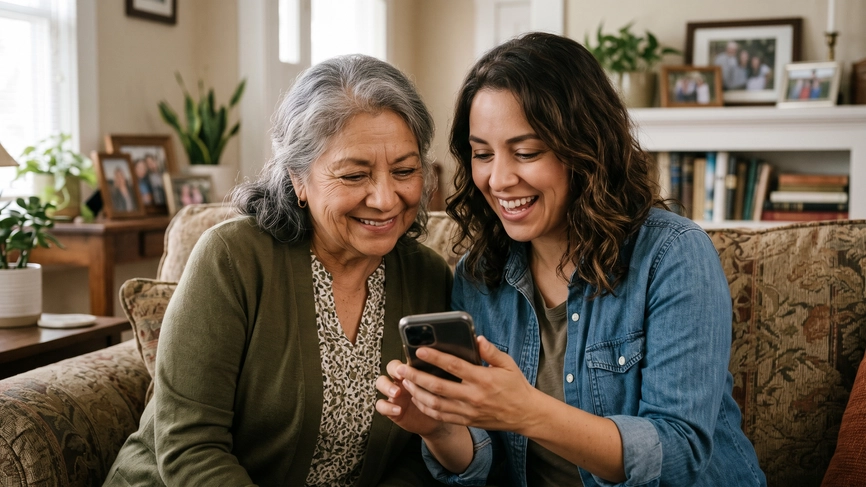
What you will learn
In this challenge, you will learn how to:
- Download the MyChart app
- Register with or without an activation code
- Set up two-factor authentication
- Set your language and notification preferences
- Recover your username or password if you forget them
Every challenge works the same way.
First, you watch a few videos and read some instructions about how to complete tasks about managing your own healthcare. Then, you practice by helping a character in a scenario. Finally, you will check your new skills to be sure you can do the tasks yourself. You can come back to any challenge at any time.
You are not being graded and there is no time limit.
Watch & Learn: Create an account
There are six steps here to create your MyChart account. If you are on a computer, select each step by clicking on it. If you are on a phone, use the drop down to select each step.
Step 1: Open the Play Store (Android) or App Store (iPhone).
Step 2: Search for "MyChart." Look for the app with the Epic heart logo (red and white).
Step 3: Tap Install or Get.
Step 1: Open the MyChart app.
Step 2: Read and agree to the End User License and the Privacy Policy. Then tap Access MyChart.
Step 3: If you want MyChart to send you notifications, tap Continue then Agree, then Allow. We recommend you allow notifications so you don’t miss important communications and reminders.
Step 4: The app will ask you if you want to keep MyChart awake and connected. You can skip this step for now. If you choose to Go to Settings, you will be directed back to the app setup after you change the settings.
Step 5: The app will ask if you want to share your location. Tap Continue, then Agree, then While using the app. We recommend you allow this setting so the app can tell when you have arrived for your appointments.
Step 1: Tap Search for an organization
Step 2: Type “Boston Medical Center” and select the first result.
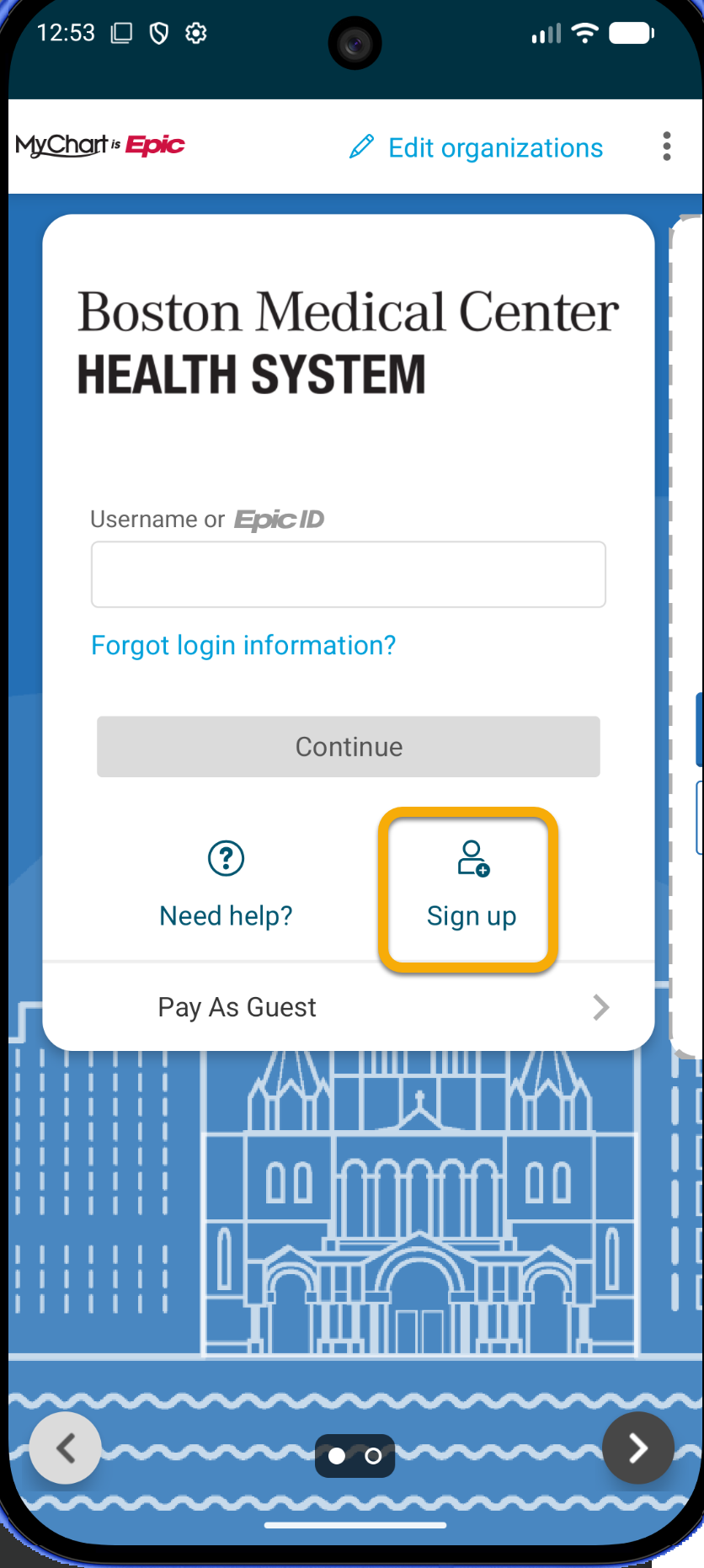
Step 1: Select Sign up.
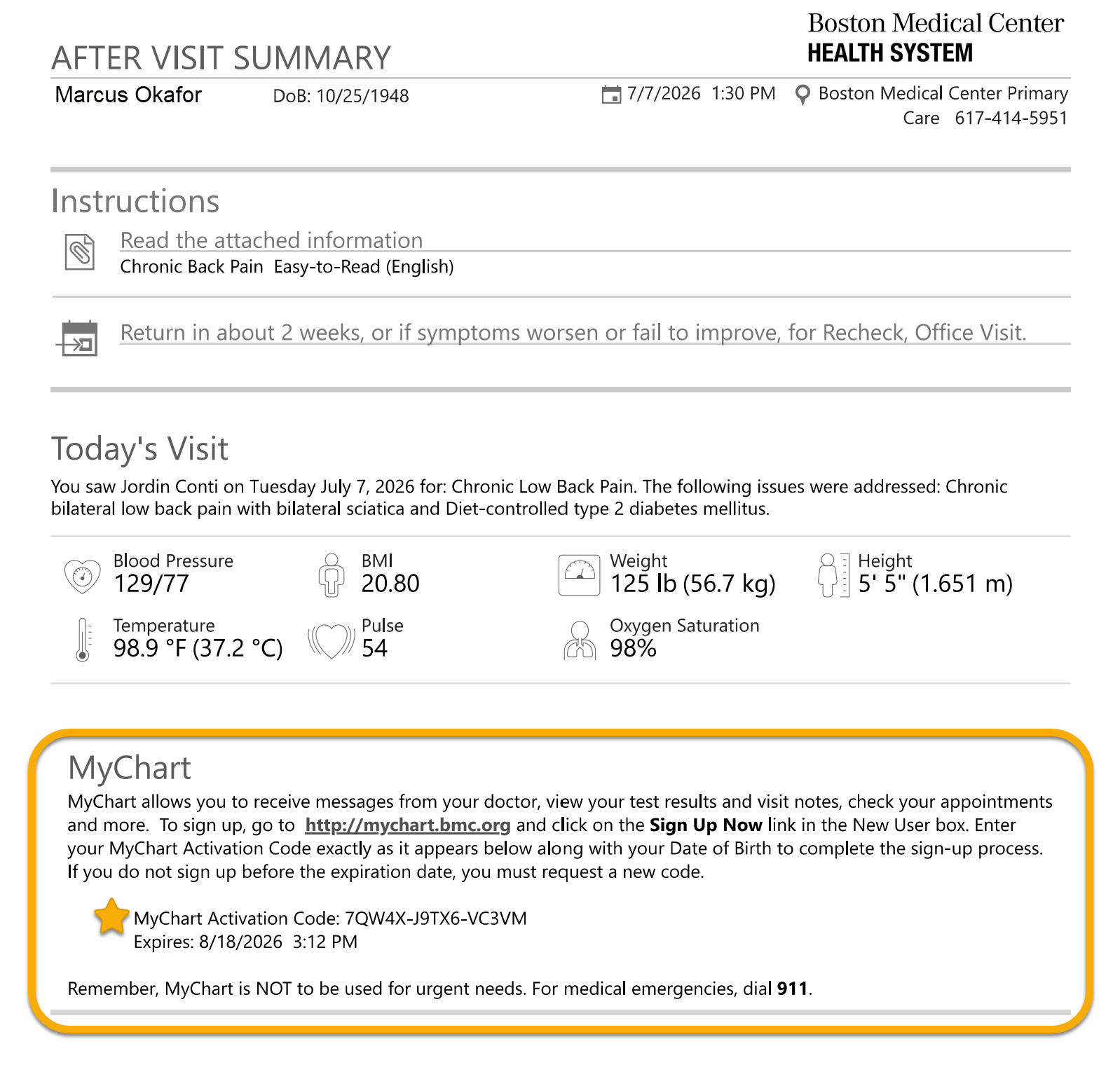
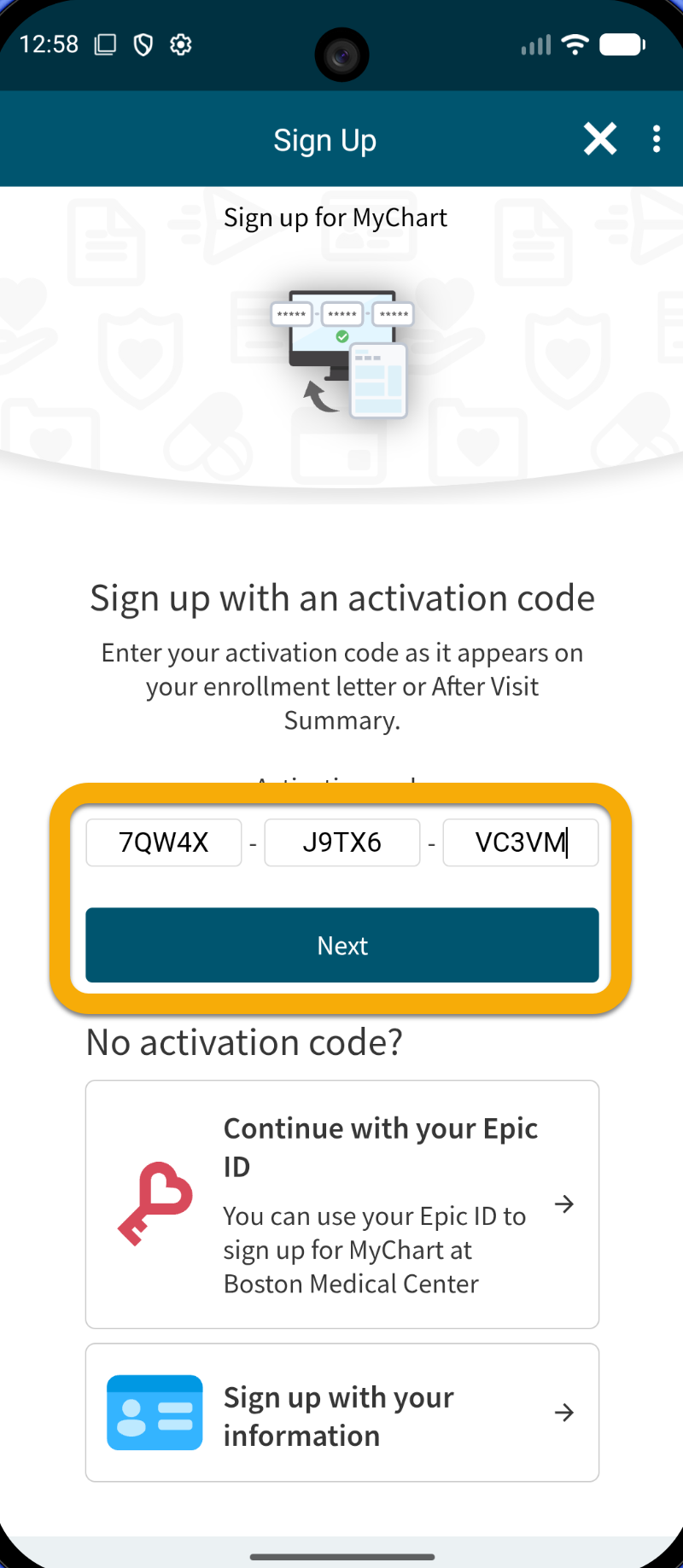
Step 2A: If you have an after-visit summary (AVS) from BMC with a 15-digit code, type it in the boxes. Activation codes expire after 60 days. If your code is too old, call BMC MyChart support at 844-635-1390 to get a new one.
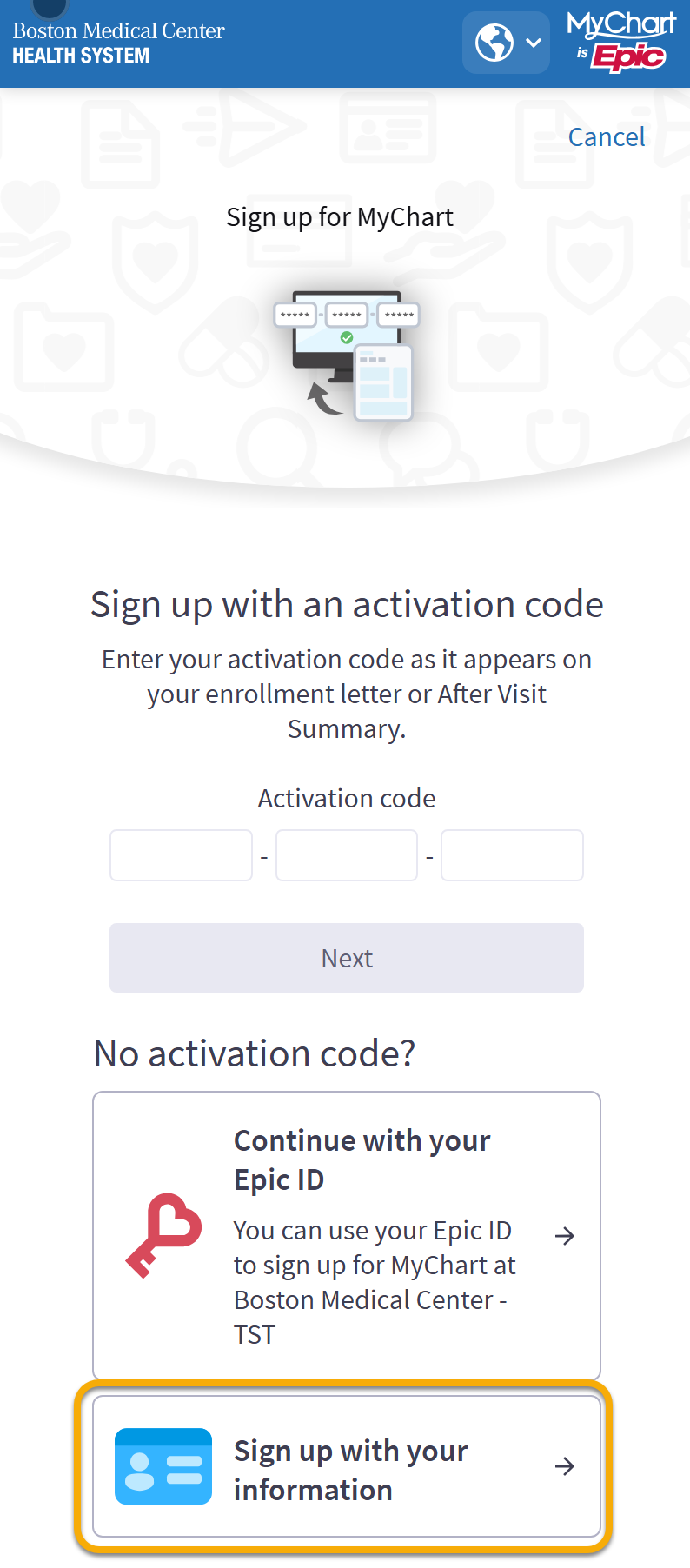
Step 2B: If you do not have an activation code, you can sign up with your personal information.
Step 3: Enter your email or phone number to receive a verification code.
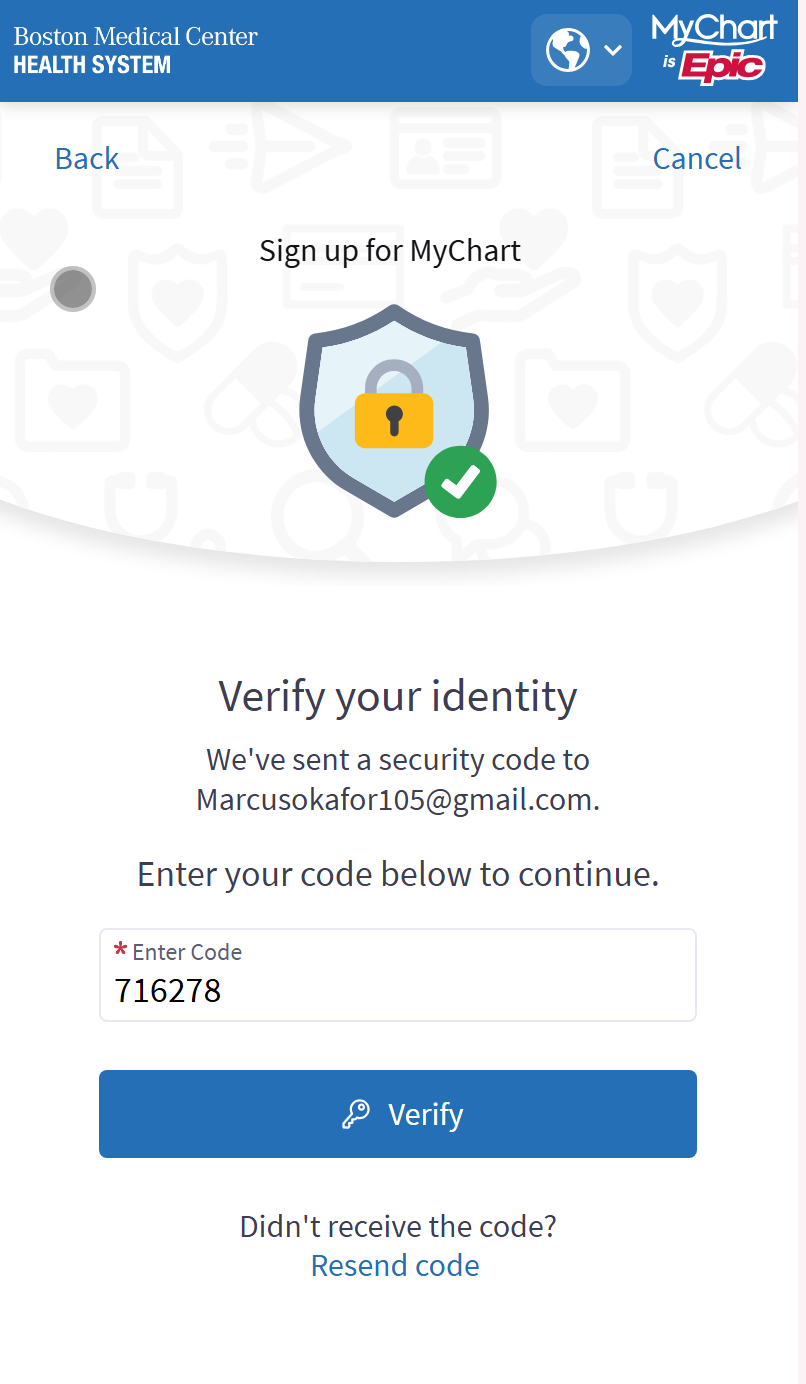
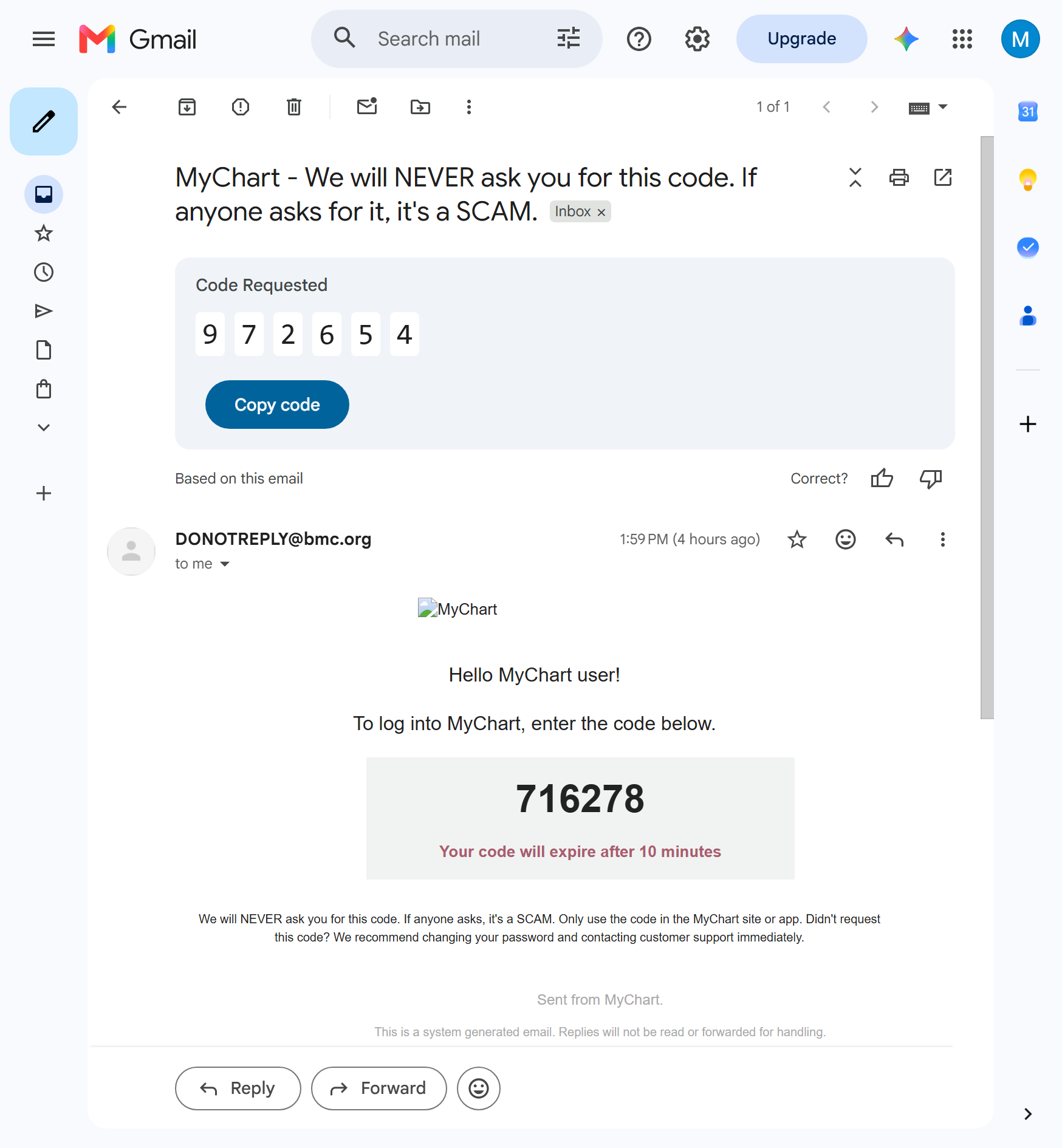
Step 4: You will get the verification code by text or email. When you have it, enter it into the MyChart app.
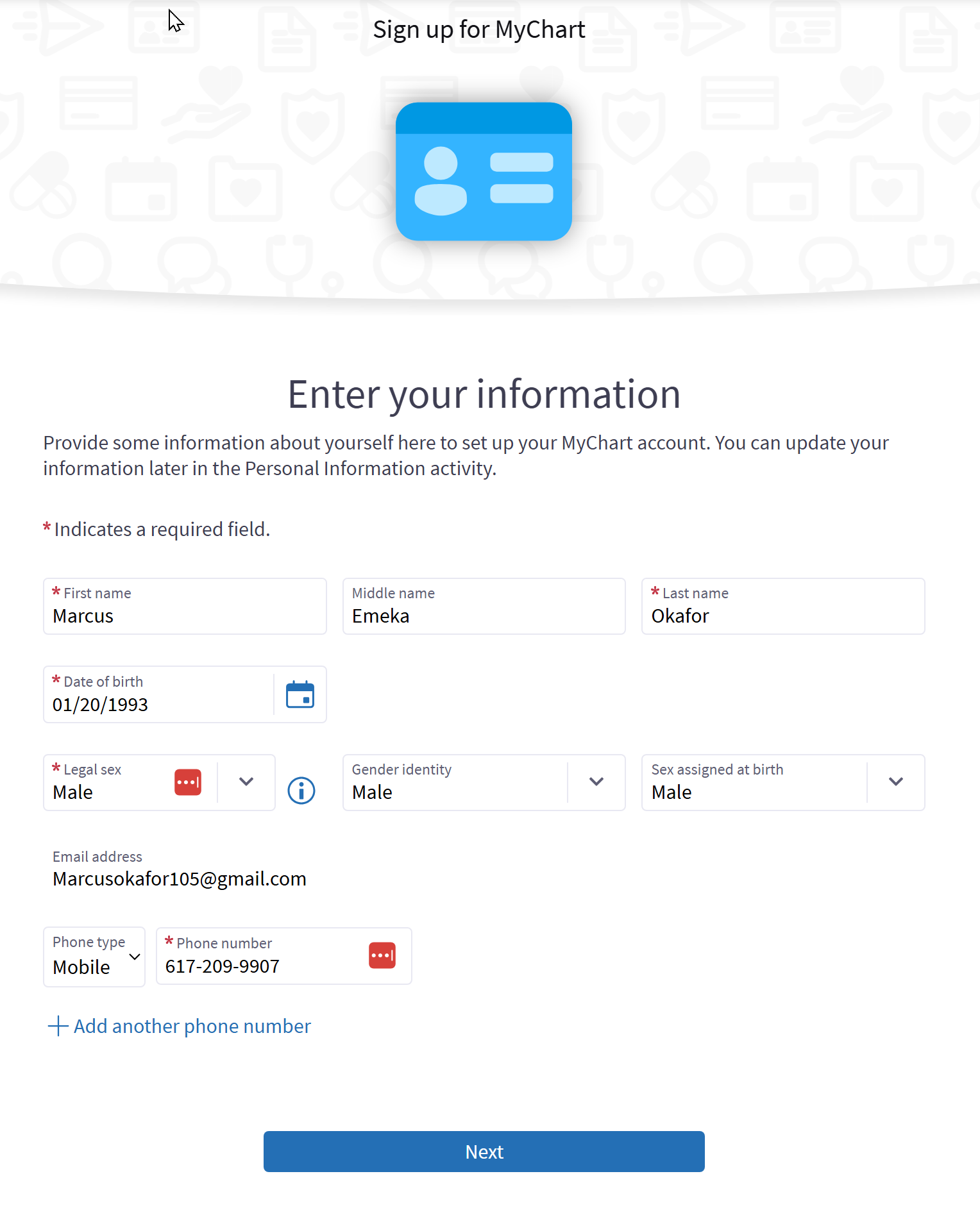
Step 1: Enter your information.
Step 1: Pick a username you can remember. Your username cannot be changed later.
Step 2: Create a password. It must be different from your username. Type it again to confirm.
Step 3: Tap Next.
If you ever forget your username or password, you do not need to call the clinic. You can recover them from the MyChart sign-in screen by tapping Forgot login information?
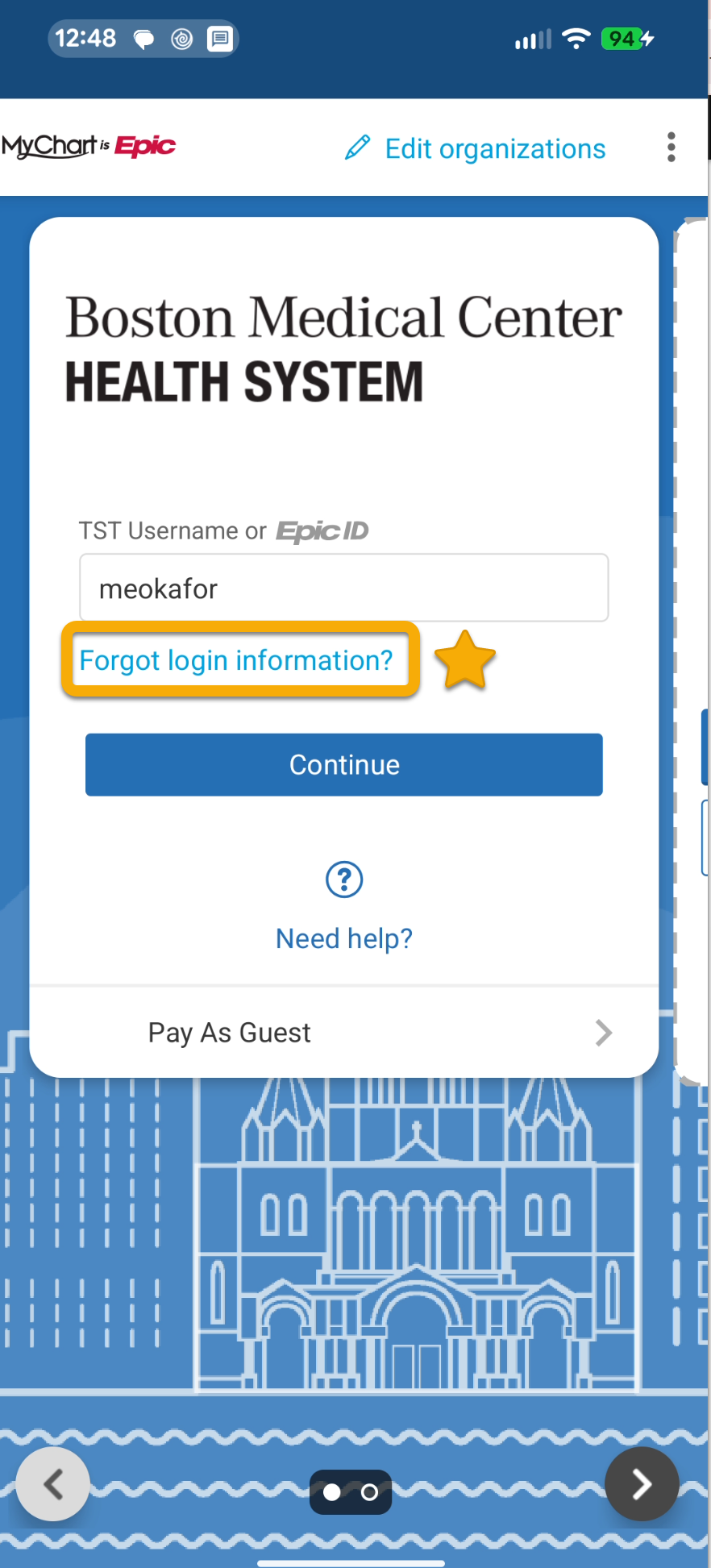
If you try too many times and get locked out, call BMC MyChart support at 844-635-1390.
Watch & Learn: Set your preferences
Once your account is set up, you may wish to change or confirm your language and communication preferences.
MyChart is available in English and Spanish. Other languages are not available in MyChart at this time.
Step 1: After you log in, tap your initial in the upper right corner and choose Change language.
You can control how you receive notifications from MyChart by changing your communication preferences.
Step 1: Tap your initial in the upper right corner and choose Account Settings.
Step 2: Then choose Communication preferences. Under settings, you can enable email, text messages, push notifications, phone, or mail. You can also choose different preferences for different types of messages under Details. We recommend turning on text message alerts so you do not miss appointment reminders or new test results.
Practice
In this section, you will help a character set up their MyChart account. This is a safe place to practice. You are not using your own information, and you cannot break anything.

Help Elena
Elena is helping her mother Carmen sign up for MyChart. Carmen got a letter from her doctor with a 15-digit activation code. Elena has Carmen’s tablet and the letter in front of her.
Question 1
Elena has Carmen’s after visit summary from a recent appointment. Carmen remembers the nurse saying the summary has a code for MyChart, but she can’t remember where it is.
Where should Elena look to find the code?
Do it yourself
Now set up MyChart on your own phone. If you already did some of these steps while watching, check them off. For anything you have not done yet, try it now.
I can install the MyChart app on my phone.
I can create an account.
I can set up two-factor authentication with my phone number.
I can set my preferred language.
I can turn on text message notifications.
I know what to do if I forget my password.
Survey
Your answers to these questions will help us make the toolkit better for everyone.
Need help right now?
For assistance with MyChart, call BMC MyChart Support at 844-635-1390 or ask your clinic staff at your next visit. For telehealth support, call 617-638-6870 or 423-207-4554.
If you need help with food, housing, transportation, or other social services, visit massthrive.org to find a directory of programs available in your area in more than 100 languages, or dial 2-1-1 from any phone to be connected to local services for food, shelter, and more.
*All images are AI-generated.