
Request a medication refill
Important: You can only request refills through MyChart for prescriptions filled at a pharmacy connected to BMC (like BMC Shapiro Pharmacy). If your prescription is at an outside pharmacy (like CVS or Walgreens), contact that pharmacy directly.
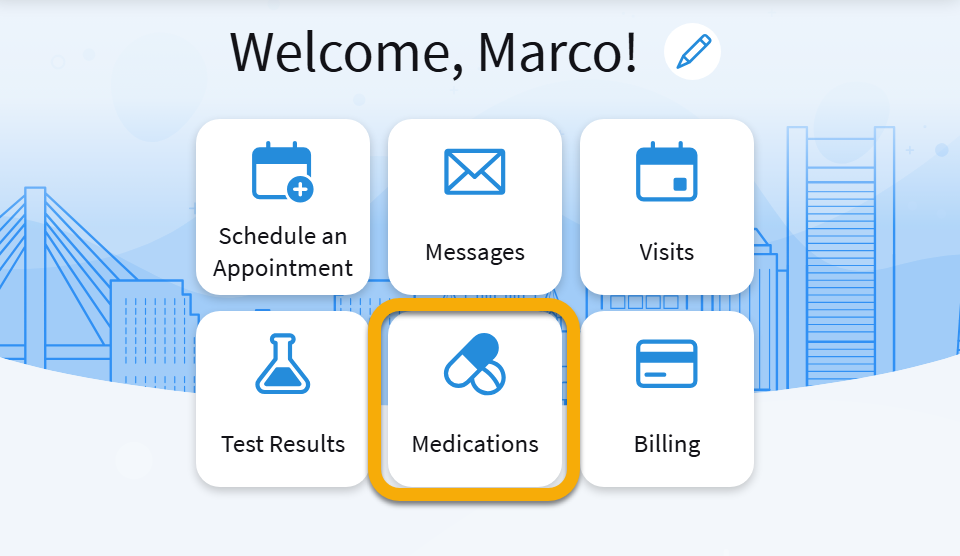
Step 1: On the home screen, tap the Medications tile.
Step 2: Find the medication you need and tap Request Refill.
Step 3: Make sure the medication you want to refill is selected. You can select other medications from this screen, too.
Step 4: Type any comments you want the provider to see.
Step 5: Make sure the correct pharmacy is selected and tap Next. On the next screen, tap Submit.
Update your pharmacy
Step 1: Go to the Medications main menu.
Step 2: At the top of the screen, click Need to update your list of pharmacies? Go to Manage My Pharmacies.
Step 3: Click Add a Pharmacy.
Step 4: Search for your preferred pharmacy by entering its name.
Step 5: Select the pharmacy and click Add.
Once you have added your preferred pharmacy, return to the medication refill request and start the process again. Your newly added pharmacy will appear as an option. Review your request and click Submit to send it to your provider for approval.