
Sign out of MyChart safely
Always sign out of MyChart when you are finished, especially if you are using a shared or public computer (like at a library). MyChart will sign you out automatically after 15 minutes if you are not using it, but it is safer to sign out yourself.
Step 1: Tap the Menu icon or your profile picture.
Step 2: Tap Sign Out at the bottom of the menu.
Your MyChart home screen
The MyChart home screen has tiles that take you to different parts of your health information. Here is what each tile does.
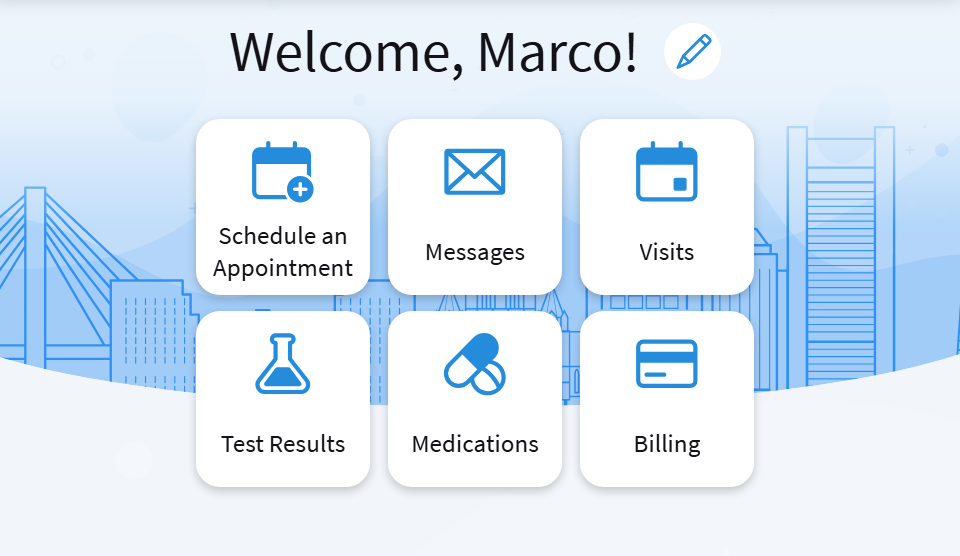
- The Visits tile shows you upcoming and past appointments. You can also access your after visit summaries from this screen.
- The Test Results tile will take you to your lab results. You can usually see results as soon as they are ready — you do not have to wait for a phone call.
- The Medications tile allows you to request and refill prescriptions.
- The Messages tile lets you send and receive messages with your care team.
- The Billing tile takes you to your billing statements and lets you make payments.